AI Video Style Prompts: Using the Inspiration Gallery
Copy-ready style prompt templates — comic, infographic poster, scribble, disco, blueprint — plus how the inspiration gallery prefills Seedance 2.0.
 Image To Video AI Team
The inspiration gallery is more than a wall of images. Each style acts like an executable starting point: it has a reference image and a matching prompt. When you choose a style and start making an animation, the Seedance 2.0 generator opens with both the image and prompt already filled in.
That removes the blank-canvas problem. You do not need to understand model terminology before getting started. Choose a visual direction first, then edit the subject, motion, and use case on the next page.
Choose the style first, then edit the goal
The gallery answers “what should this look like?” The Seedance prompt answers “how should it move?” Keeping those questions separate makes the workflow easier to control.
For product work, pick a cleaner commercial style — the product photo to promo video guide shows how far that path goes. For social content, try stronger visual directions such as comic, scribble, disco, or hand-drawn. For turning a simple image into a content asset, try infographic poster, blueprint poster, or fantasy newspaper.
Once you enter Seedance 2.0, edit three things:
- Subject: define whether the reference image is a product, person, or scene.
- Motion: specify push-in, orbit, flash, text reveal, or background movement.
- Use case: name the destination, such as product-page hero, ad opener, launch teaser, or social clip.
One practical detail: after you enter from the gallery, the alternative styles shown next to your pick stay stable instead of reshuffling on every click, so you can compare adjacent directions calmly.
Copy-ready style prompt templates
These five styles cover the most common jobs. Each template follows the same logic: lock the subject, name the style, direct the motion, state the destination.
Comic
Best for portraits and personality-led social clips.
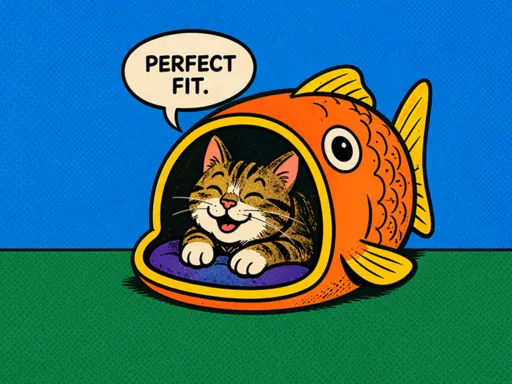
Use the reference image as the first frame. Keep the person’s face and outfit recognizable. Transform the scene into a bold comic-panel style with halftone shading, add a quick zoom between panels and popping action lines, for an energetic social intro.
Infographic poster
Best for products that sell on specs and benefits.
Use the reference image as the first frame. Keep the product shape and packaging details unchanged. Create an infographic poster style video with clean callout lines and benefit labels appearing around the product, a slow camera push-in, and a minimal background for ecommerce and social ads.
Scribble
Best for playful brand moments and casual announcements.
Use the reference image as the first frame. Keep the main subject unchanged. Add hand-drawn scribble outlines, doodle arrows, and handwritten-style accents that animate in around the subject, with a gentle handheld camera feel for a friendly social clip.
Disco
Best for high-energy promos and event teasers.
Use the reference image as the first frame. Keep the subject recognizable. Bathe the scene in moving disco lights, add colorful reflections and rhythmic light sweeps, with a slow orbit camera for a party-style promo video.
Blueprint poster
Best for tech products and “how it works” content.
Use the reference image as the first frame. Keep the product silhouette exact. Convert the scene into a technical blueprint style with fine white line-work and measurement callouts sketching themselves in, camera sliding slowly across the layout, for a product breakdown video.
A reusable rewrite pattern
Any gallery prompt can be adapted with the same structure:
Use the reference image as the first frame. Keep the key subject features unchanged. Transform it into a [target style] video with [camera motion], [environmental motion], and a look suitable for [publishing scenario].
What the gallery is really for
A useful inspiration gallery does not make the final decision for you. It gets you into an editable state faster. After the image and prompt are prefilled, you can still upload your own image, rewrite the prompt, and switch styles.
Treat the gallery as a starting point, not the finish line. Pick a direction, adapt the template to your subject and channel, and generate the first draft in the Seedance 2.0 image to video generator.