

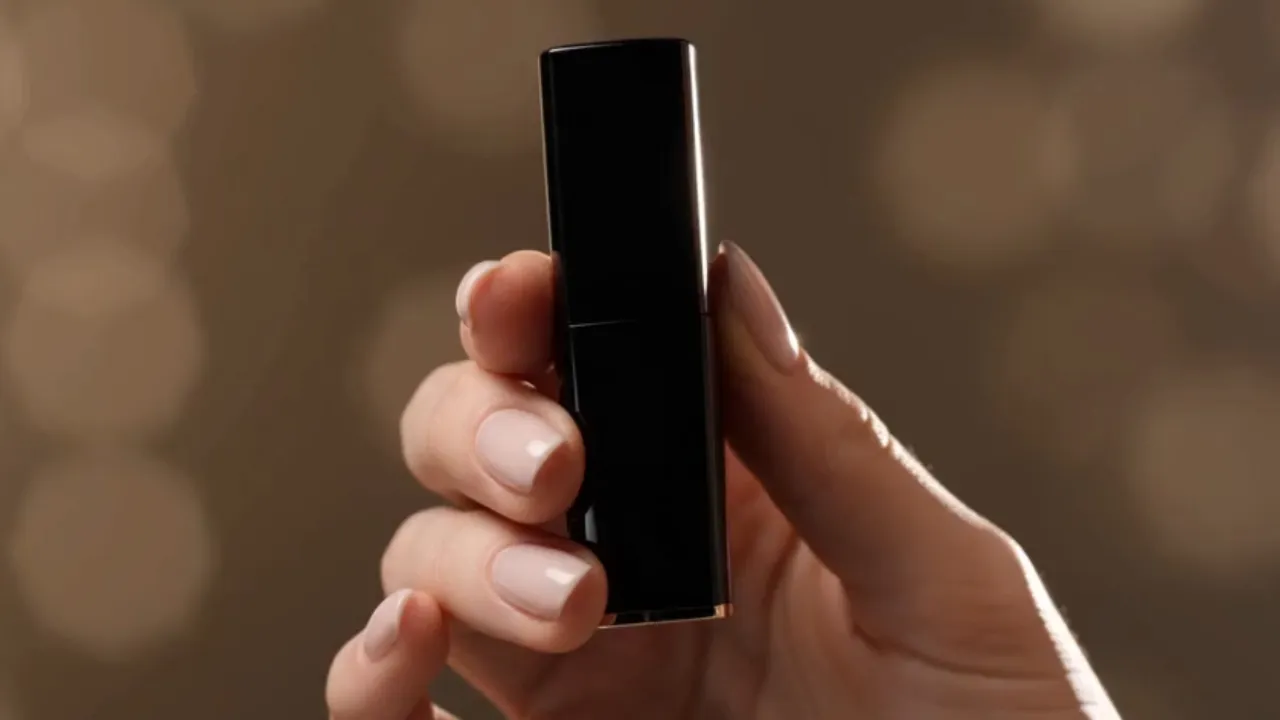
 Original product imageGenerated promo video
Lipstick campaign visual
A static beauty product image becomes a premium ad clip with camera motion and polished lighting.
Turn text, images, or keyframes into video from one creative workspace. Choose the model that fits each idea, then fine-tune motion, duration, resolution, aspect ratio, and audio.
AI video showcase
Explore a curated wall of AI-generated motion, from cinematic landscapes to expressive vertical scenes.
Upload one product photo, write the ad motion, and generate a short promo video draft for landing pages, paid social, launches, and storefronts.
Create a Product Ad VideoOriginal product imageGenerated promo videoA static beauty product image becomes a premium ad clip with camera motion and polished lighting.
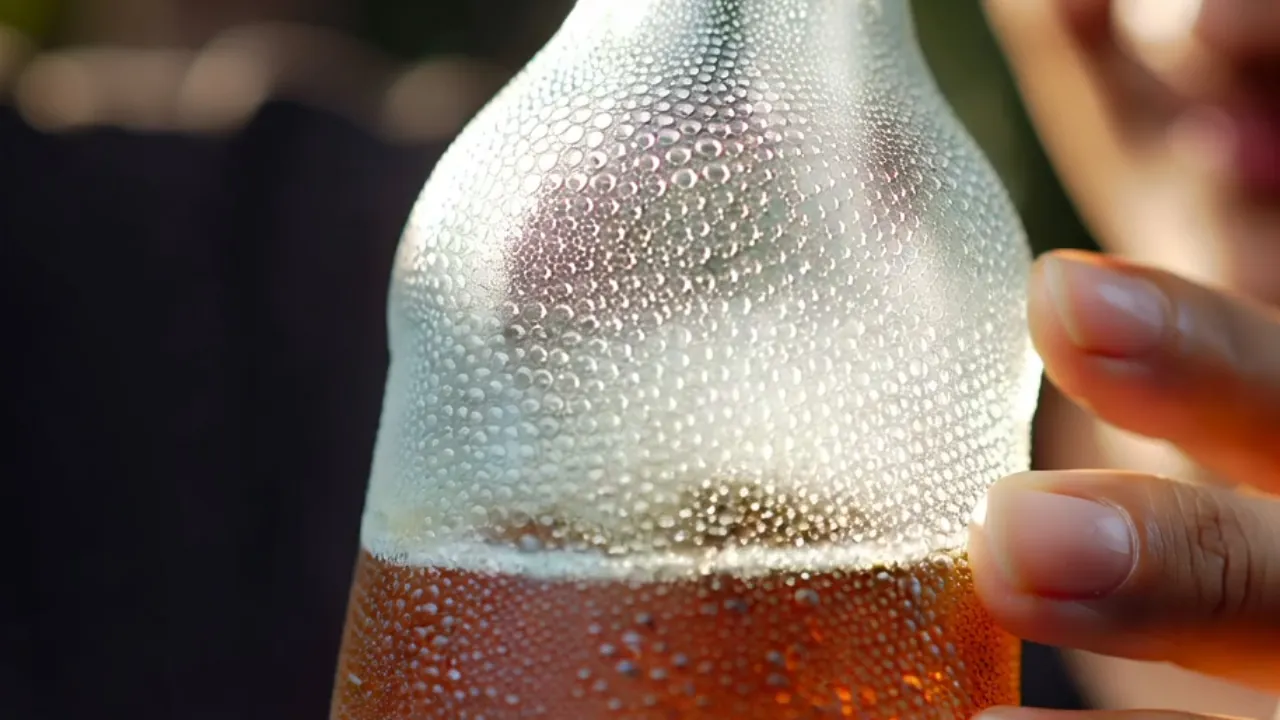 Original product imageGenerated promo video
A can image turns into a refreshing product video built for social feeds and landing pages.
Start with a text prompt or an optional reference image, choose a video model and output settings, then find the finished result in your Library.
Describe the video you want to create. Add a product photo, portrait, illustration, or campaign visual only when you want the result to follow a specific reference.
Specify the subject, action, camera movement, lighting, atmosphere, style, and pacing so the model can produce a more controlled result.
Match each project with the model that best fits its speed, visual style, motion, output format, and production controls.
When generation finishes, the video is saved to your Library for playback, review, download, and future creative work.
Create from a written idea or an existing image for marketing, product storytelling, social content, education, e-commerce, and creative production.
Active workflow
Typical outputs
Short-form Content Lead
"We upload a launch poster and get publish-ready vertical clips in minutes, which makes content testing much faster."

Ecommerce Brand Owner
"Product motion used to mean scheduling shoots and edits. Now one hero image can become unboxing, showcase, and promo videos."
Visual Designer
"References, prompts, and previews stay in one workflow, so I can send a new style direction as soon as a client asks."
Course Content Producer
"I turn lesson covers, illustrations, and concept diagrams into short explainers without slowing down production."
Creative Agency Partner
"The team can validate camera language quickly, then pass the strongest direction into editing and media buying."
Independent Creator
"Portraits and travel photos become cinematic social videos, so my feed is no longer limited to static images."
Image To Video AI is a multi-model video creation platform for generating video from text, images, or keyframes. It brings different AI video models and their creative controls into one workspace.
Yes. Start with a prompt, choose a model that supports text-to-video, select the available output settings, and generate. Images and keyframes are optional for supported modes.
Upload a reference image and describe how the subject, camera, background, and lighting should change. The model uses the image as visual guidance while following your prompt.
The workspace brings multiple video models together. Each model offers different strengths, generation modes, and controls, and the lineup can expand as new models become available.
Describe the subject, action, camera movement, environment, lighting, visual style, and pacing. One to three focused sentences usually provide a strong starting point.
Available controls depend on the selected model and can include model variant, duration, resolution, aspect ratio, and audio generation.
Completed videos are saved automatically to your Library, where you can play, review, open, and download each result.
Yes — generated videos work for ads, product pages, social content, presentations, and campaign drafts. Review the applicable model terms and your rights to prompts and reference assets before publishing.
Guides
17 June 2026
How Seedance 2.0 turns a source image into motion with camera direction, pacing, and commercial use in mind.
Read More24 June 2026
Prompt templates for beauty and beverage products, plus how to keep the product stable while camera and background move.
Read More