

Kling 4.0
- — A product photo with a clear camera move
- — A portrait or character brought into motion
- — A first and last frame to guide the shot
5s · pro · 72 credits · about $0.63 per clip
Black Friday · 2026
Two video models. One account. Save 30% on any paid plan or credit pack with Stripe — subscriptions keep the discount on every renewal.
Starts November 23 (UTC). The code will appear here when the sale starts. Until then, purchases use regular prices.
Save up to $179 every year on an annual plan
Buy a planEstimates use 5-second clips: Kling 4.0 pro or Seedance 2.5 720p. Annual totals cover the full year, not an upfront credit grant.
Basic
$100 billed yearly; renewals keep this price
About 24 Kling 4.0 clips
Validity
31-day monthly batches
Entitlements
Images, videos, music, voice
Max
$599 billed yearly; renewals keep this price
About 660 Kling 4.0 or 180 Seedance 2.5 clips
Validity
31-day monthly batches
Entitlements
Images, videos, music, voice
Pro
$360 billed yearly; renewals keep this price
About 300 Kling 4.0 or 84 Seedance 2.5 clips
Validity
31-day monthly batches
Entitlements
Images, videos, music, voice
Starts November 23 (UTC). The code will appear here when the sale starts. Until then, purchases use regular prices.
Choose for the shot you want to make. Both use the same account and credit balance.
5s · pro · 72 credits · about $0.63 per clip
5s · 720p · 252 credits · about $2.20 per clip
26 video options are available in the workspace. Here are a few more ways to use your plan.
| Video model | Useful for | Example clip | Credits | Approx. cost |
|---|---|---|---|---|
| Veo 3.1 | Short scenes from a prompt or photo | 8s · Lite · 720p | 24 | $0.21 |
| MiniMax H3 | A photo, references or first and last frames | 5s · 768p | 90 | $0.79 |
| MiniMax H3 Max | Higher-resolution scenes from visual references | 5s · 1080p | 130 | $1.14 |
| Wan 3.0 | Photo animation and reference-guided scenes | 5s · 720p | 64 | $0.56 |
Cost estimates use the Max annual plan: $419.30 for 48,000 credits over the year. Calculation: plan price ÷ plan credits × clip credits. Settings and length change the cost; check the generator before creating.
Sale estimates below use the planned 30% discount, available only during the sale with Stripe.
No. This is an offer from Image To Video AI, an independent image-to-video platform, not an official model-maker promotion.
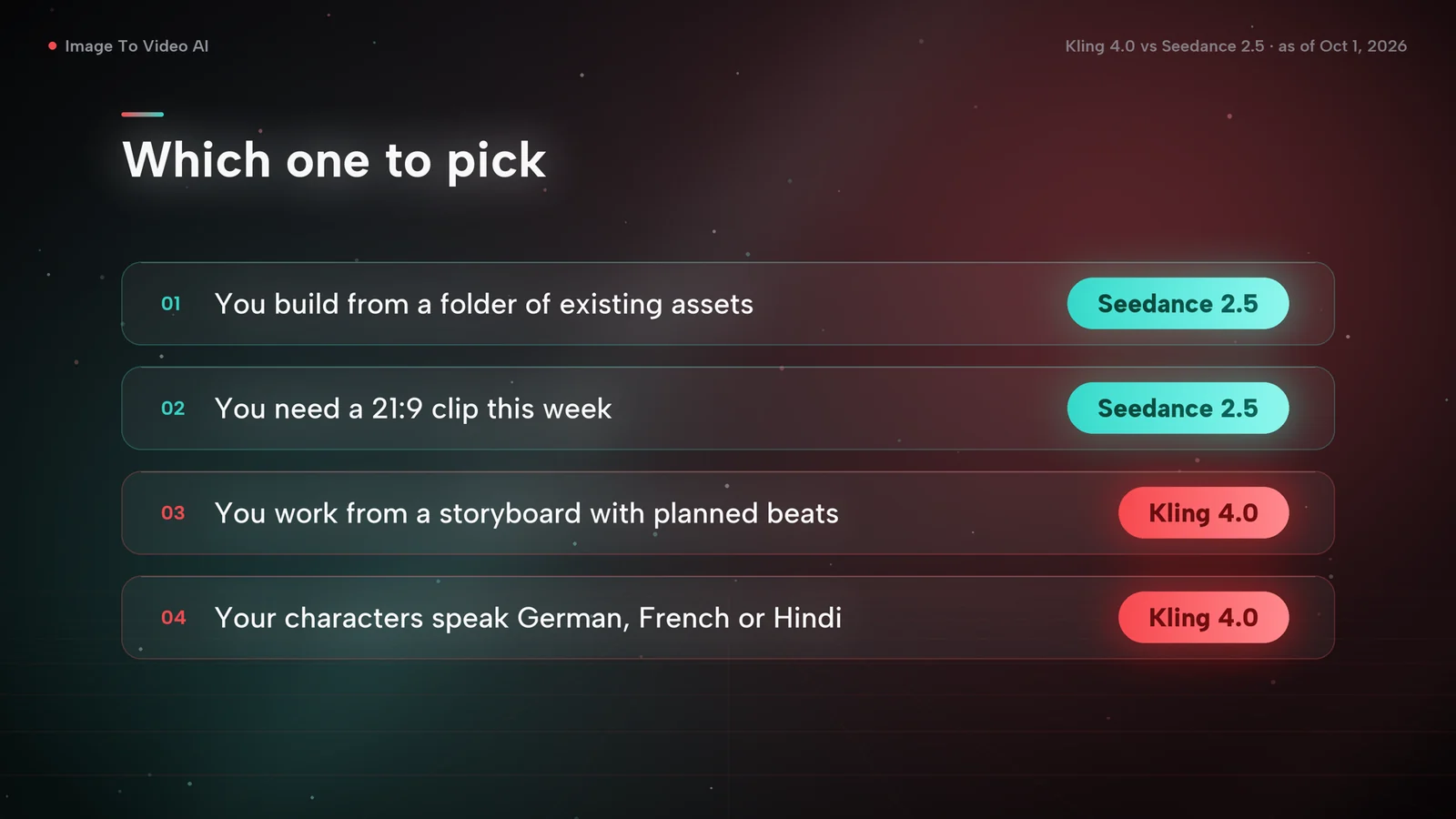
Start with Kling 4.0 for a simple photo-to-motion shot or first and last frames. Try Seedance 2.5 for reference-guided scenes and longer sequences. You can use both with the same plan.
For the examples here, a 5-second Kling 4.0 pro clip uses 72 credits and a 5-second Seedance 2.5 720p clip uses 252. Other settings can cost more or less. The generator shows the credits before you submit.
Yes. Monthly and annual subscriptions keep the discount on every renewal for as long as they stay active. If you cancel and subscribe again later, regular prices apply. A credit pack is a one-time purchase.
Annual-plan credits are released in monthly installments, not all at once. Each installment has its own monthly validity period. The annual video counts shown here assume you use the credits across the year.
During the sale, copy the code above, choose a paid plan and continue to Stripe checkout. Click “Add promotion code”, paste the code and confirm the discounted total before paying. The code does not apply to other payment methods.
Choose by how often you make videos. A monthly plan keeps the commitment small if you only need a few clips. If you create video every week, compare the price per credit: it is lowest on the largest annual plan. The plan cards above estimate how many example clips each plan covers.
If a video fails to generate, its credits return to your balance automatically, so you only spend credits on clips that finish. Length, resolution and other settings change the cost, and the generator shows the credits before you submit.
Model names identify the video tools available on Image To Video AI. This promotion is not affiliated with or sponsored by the model makers.